In this article, we will discuss ways to modify data frames.
Adding columns to a DataFrame
We might want to add new information or perform a calculation based on the data that we already have.
We want to add a column to an existing DataFrame.
Suppose we own a hardware store called The Handy Woman and have a DataFrame containing inventory information:
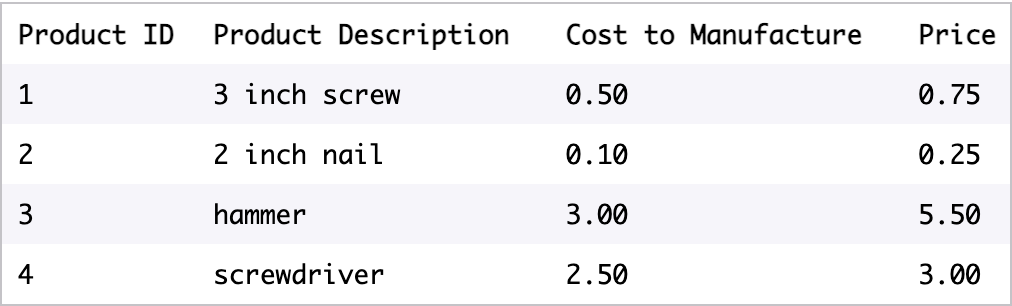
One way that we can add a new column is by giving a list of the same length as the existing DataFrame.


We can also add a new column that is the same for all rows in the DataFrame.

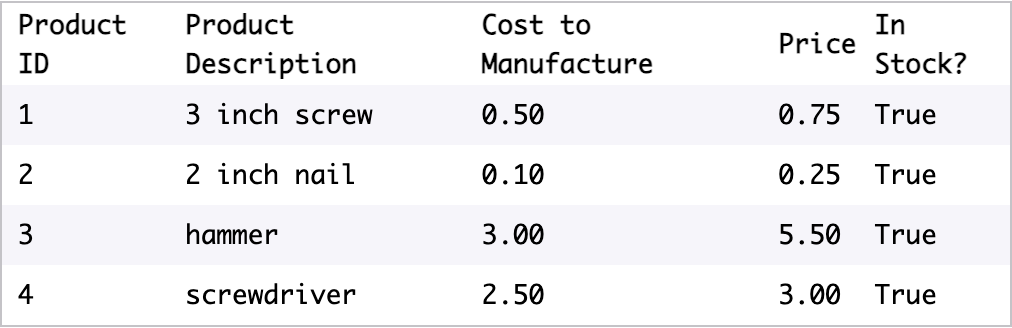
Finally, we can add a new column by performing a function on the existing columns.

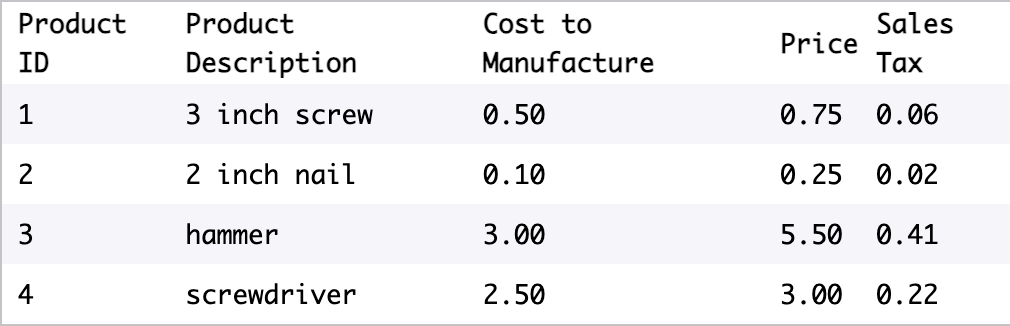
Often, the column that we want to add is related to existing columns.
We can use the apply function to apply a function to every value in a particular column.
For example, this code overwrites the existing 'Name' columns by applying the function upper to every row in 'Name':
df['Name'] = df.Name.apply(str.upper)
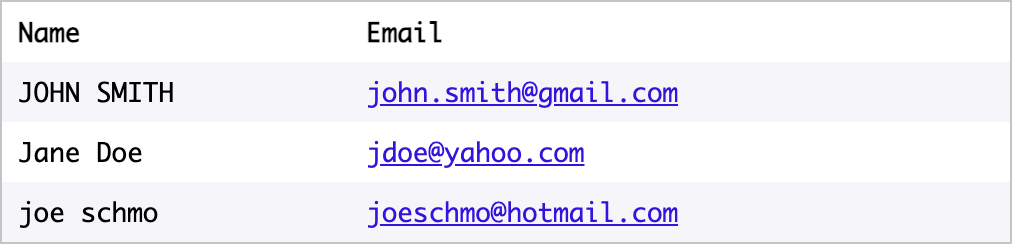

In Pandas, we often use lambda functions to perform complex operations on columns.
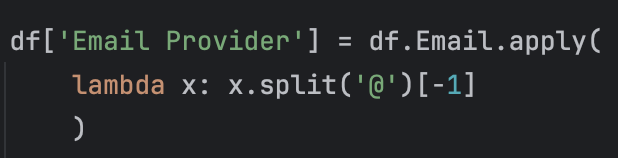
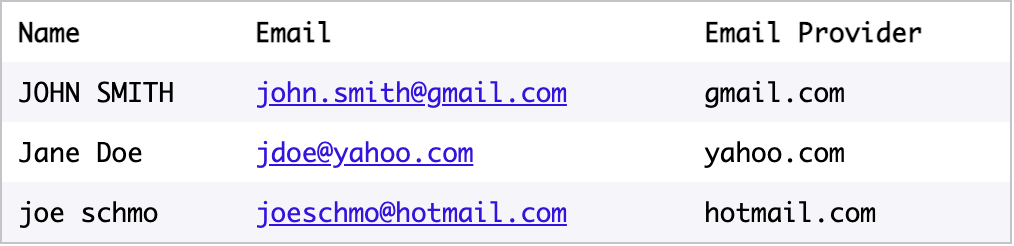
We can also operate on multiple columns at once.
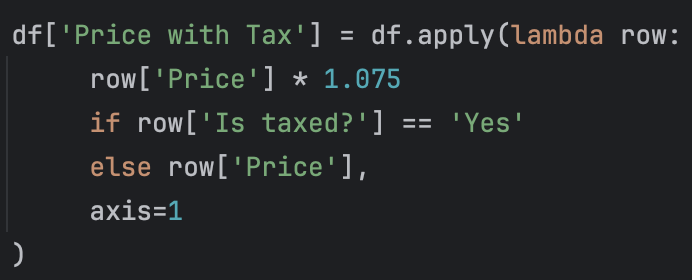
If we use apply without specifying a single column and add the argument axis=1, the input to our lambda function will be an entire row, not a column.
To access particular values of the row, we use the syntax row.column_name or row[‘column_name’].
Suppose we have a table representing a grocery list:

If we want to add in the price with tax for each line, we’ll need to look at two columns: Price and Is taxed?.
If Is taxed? is Yes, then we’ll want to multiply Price by 1.075 (for 7.5% sales tax).
If Is taxed? is No, we’ll just have Price without multiplying it.
Renaming columns
When we get our data from other sources, we often want to change the column names.
We can change all of the column names at once by setting the .columns property to a different list.
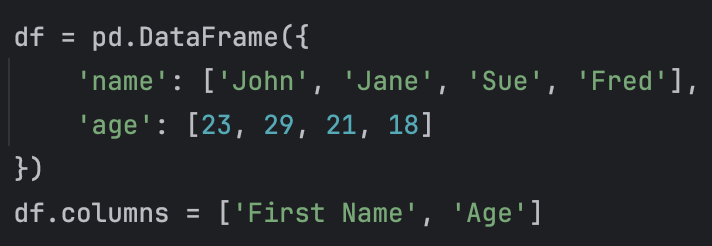
This command edits the existing DataFrame df.
You also can rename individual columns by using the .rename method.
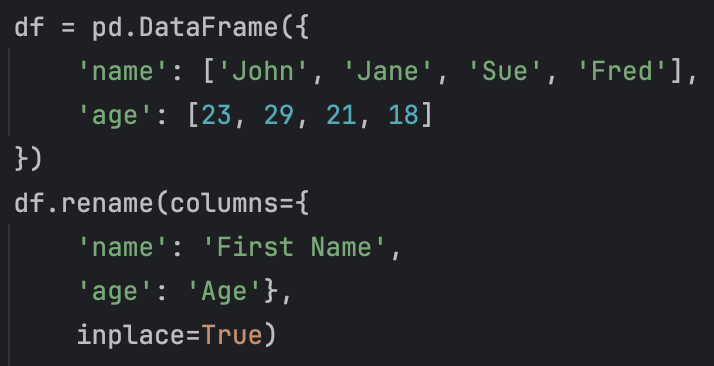
The code above will rename name to First Name and age to Age.
Using rename with only the columns keyword will create a new DataFrame, leaving your original DataFrame unchanged. That’s why we also passed in the keyword argument inplace=True.
Using inplace=True lets us edit the original DataFrame.
There are several reasons why .rename is preferable to .columns:
- You can rename just one column
- You can be specific about which column names are getting changed (with .column you can accidentally switch column names if you’re not careful)
'AI > ML' 카테고리의 다른 글
| Creating, Loading, and Selecting Data with Pandas (0) | 2025.03.20 |
|---|